How Developers can Get Things Done

After I wrote about Getting Things Done last week I began to think how the GTD approach could work for developers working in a Scrum Team.

There’s no doubt in my mind that scrum is one of the best working processes for software development teams (yes there are others but scrum is incredibly prevalent and many teams across the world have a lot of success with it). However, having an effective scrum process does not guarantee that developers are productive or that they remember to complete the myriad of other day to day work tasks.

But let’s talk firstly about why GTD can help developers and why it’s not just another process to follow. Have you ever turned up to a meeting and had that sinking feeling when you realise you’ve forgotten to do your actions? Have you ever forgotten your timesheet? What about those times when you have tried to get your head down to write code but can’t quite forget all the other jobs miscellaneous jobs which you have to finish before the end of the day? This is because there are many tasks associated with your role which do not relate to the product or the team.

As well as writing code we ask our developers to complete an endless array of other tasks such as regulatory training, end of year reviews, interviews, timesheets, and other initiatives. These, in my humble opinion, have no place on a Sprint Backlog. They’re not for the value of the team or the but they do detract time from the sprint. Annoyingly, we we don’t provide a mechanism for developers or testers to track these if we’re not using the board – we just expect them to “be organised” and somehow find that time during a planning session. This isn’t fair and it isn’t good enough.

Expecting developers to pick up ad-hoc requests as side of desk activities is not fair or realistic.

Our goal has to be to assist developers with the tasks their job requires which don’t fit nicely into a sprint format.

Before we go any further I’d like to point out that GTD and Scrum are not entirely unrelated ideas. The five steps of GTD are:

  1. Capture
  2. Clarify
  3. Organise
  4. Review
  5. Engage

These match up almost perfectly with their scrum equivalents of:

  • Requirements gathering
  • Backlog refinement
  • Planning
  • Sprint Reviews and Retrospectives
  • Delivering Value

David Allen, the creator of GTD, suggests reviewing your entire project list every week to ensure actions are kept up to date and nothing is missed. This process draws many parallels to a team reviewing its progress against a larger goal in a Sprint Review.

GTD can provide a framework for developers to handle all the non-scrum work their role entails.

Implementing GTD for Developers

But how would you go about implementing GTD for a developer without treading on the scrum process? The first thing to realise is that the two frameworks manage work for different areas. Scrum is about product development, GTD is about managing your personal workload. There’s a crossover, where you’re working on work specifically for the product (hopefully a significant part of your day), but there are also significant areas where both work independently.

Capture Everything

The first step, as with pure GTD, is to capture everything. This can be on paper, on your computer, or in a notetaking app. This list will form the basis of your in tray and should contain everything which is in your head or on your desk at the moment. You can limit it to work, but personally I’d recommend including your personal life too.

Your list may include items like:

  • Login functionality
  • Potatoes
  • Billy’s Feedback
  • Hair Cut
  • Boss’ email
  • Metrics

One of the key tenants of GTD is to move all these items out of your head and into an inbox. Free up your brain for making decisions and having ideas not for storing stuff which would be better suited to a piece of paper. Chances are the first time you run through this you will end up with hundreds of items on this list, far more than you ever expected! If you find yourself slowing down take a look at the GTD Trigger List to see if you can tease out any more and I’m sure you’ll think of a few you’ve forgotten.

Write a list of everything you’ve currently got in your head.

Don’t be intimidated by the sheer number of items you’re finding now. They’re already in your head, the only difference is now you’re seeing that list for real. If we can visualise it, we can throttle the number of items in progress – just like you would on a scrum board.

Going forward you’re going to capture items as soon as you think of them you don’t have the chance to forget them (remember what we said about remembering actions from meetings?). This list should never grow this large again.

Capturing Actions From Email

Email can be a particuarly tricky one so I’ll cover that one specifically. I recommend creating three folders:

  • Action Required
  • Waiting For
  • Archive

I’ll explain about Waiting For later on but I want you go through your inbox and move every single email into either Action Required (you need to do something with this) or Archive. If you added it to the first folder, put it on your list.

Your goal should be to repeat this process at least daily. Remember your inbox is just that – it’s an in box. You should empty your inbox and decide what to do with it (not necessarily action it) as often as is reasonably possible.

Clarify

Once you’ve constructed your list from your mind, various postit notes, your scrum board, and your inbox you’ll have a lot of work on your hands. I’m expecting you to have well over a hundred items. However, this list makes sense to you now but it won’t after a days (or even hours). We’re not going to complete these items all at once and we need to know that whenever we come back to then will still be clear to us. We want to record actions, things we are going to do – not just vague bullet points.

  • Implement login functionality
  • Buy potatoes
  • Reply to Billy’s email requesting feedback
  • Call hair dresser to confirm appointment
  • Reply to boss’ email and answer question
  • Check metrics on live site are within expected range

Note that all of these are now specific things for you to do, not vague points designed to remind you. David Allen (the creator of Getting Things Done) teaches us that one of the biggest causes of procrastination is not knowing what the next action or decision should be. Save your future self from that frustration by deciding what is actually needed right now, before you file it away to be done in the future.

Organise

GTD uses projects to organise work. The definition of a project is very broad.

“Projects are defined as outcomes that will require more than one action step to complete and that you can mark off as finished in the next 12 months.”

–David Allen

We’re going to use the actions list you captured to create your project list. I would recommend you keep a couple of high level projects to group various pieces of work together. I use:

  • Home
  • Work
  • Personal Development

However you should choose the ones which seem most appropriate to you. Within each of these I would create a project called One Off Actions.

Next you’re going to work your way down your inbox and create and organise as you go. The question you should keep asking yourself is whether your task is part of a wider project or if it’s a one off action. At this point you should also make a note of any deadlines for any of your actions.

Organising Actions Which Relate to Scrum Tasks

Many of the actions you have will relate to work you are currently undertaking on behalf of the scrum team. Code this, Code Review that, etc… There are a couple of ways to approach this. You could either create a duplicate item on your own system to track your work on the scrum board or you could ommit these from your personal system.

There are advantages to both. Having work listen on both makes it less likely you’ll lose track of something however at the expense of organisational overhead and keeping things in sync.

Personally I would recommend that you don’t track work you are doing as part of the scrum team in your GTD system as I would want to create a single source of truth. However, as long as you’re consistent I don’t believe there’s real harm either way.

Waiting For

As you are working through your actions you will undoubtedly encounter projects which are waiting someone else to complete an action. One of the most common reasons projects go off the rails is because a task is sat with someone and it is never followed up. This is where the additional folder we created in your email comes in useful.

Whenever you have an action which is sat with someone else tag that action with the word Waiting. I would also record the date it was delegated, the name of the person, and the date you wish to follow it up. Depending on the technology you are using you will have different mechanisms for doing this ranging from reminders and tags to simply changing the title.

Drop any corresponding emails into that new Waiting For inbox folder so those messages are always close at hand. BCC yourself into any emails you send asking for someone to pick something up and drop it in that folder!

If at all possible keep the action sat in the same project folder, this will help maintain context with the overall project.

Waiting for other people to complete their actions is often the black hole of failing projects. Don’t let it trip you up!

Agendas

Agendas are one of the hidden gems of GTD. Inside your work folder (although you could possibly do it for others too) I want you to create a folder for Agendas and then others underneath for:

  • Daily Standup
  • Sprint Planning
  • Sprint Review
  • Retrospective
  • 1:1 with Boss

Along with any all hands calls or mentorship sessions you take part in. These folders represent everything you want to discuss in those upcoming meetings. This means if you have an issue you need to speak about you will never have that frustraiting feeling of not being able to quite remember what it is.

This means you can gather frustrations or highlights for the retrospective throughout the week and make a list of items you want to talk to your boss about rather than having to think of them on the spot. You can also capture any items which come from either of those two meetings quickly and easily in your inbox for clarifying and organising later.

Once you’ve raised your point and got your answer you can check them off. Remember you can use Waiting For if someone doesn’t have the solution for you right away!

Next

While creating your actions is it often helpful to tag (or otherwise highlight depending on the technology you are using) the next action which is required to move a project along. I also tag my actions with Email, Phone, and/or 15Minutes to help me catagorise each item so I don’t have to jump from one application to another and can pick up quick tasks in between meetings.

Review

By now you should have a list of all the actions you have committed to and their appropriate due dates. David Allen recommends you should reseve some time each week to zero your inboxes, review your projects, next actions, waiting for lists, and agendas and I would agree.

You’re looking for anything which is out of date, irrelevant, or no longer needed. You’re also looking for the next steps to progress your projects.

I would add one add additional suggestion. Ensure you schedule your personal GTD review before your sprint ceremonies. If you don’t have a clear vision of your commitments outside the sprint then you are never going to be able to give a fair view of capactity in those planning sessions. If you know you’ve got a large task to complete for a senior manager you’re now aware of that task and can take on less work in the sprint planning session.

Engage

Now we’ve got this wonderfully organised list of work it’s time to do some! There are a number of ways for deciding what to work on:

  • How long it will take
  • How urgent it is
  • Whether you have the right tools required (and to a degree the inclination) at that time.

Obviously the vast majority of your time will be for scrum tasks (or at least I hope it would be). However as we mentioned at the start it’s important that these other pieces are picked up and not forgotten about. I would recommend finding a certain amount of time each day to review this list and look for any actions and make sure you have plenty of time to complete them before their respective deadlines.

10 minutes at the start of the day (ideally before the daily standup) is all that’s needed to make sure you can plan effectively and you don’t miss anything which needs doing alongside your scrum deliverables.

A Note On Technology

I deliberately haven’t talked about technology in this post. The tool doesn’t make the system but it’s clear you’re going to need a good tool to keep this system working.

In his book David Allen talks a lot about Pen and Paper but also doesn’t go too much into digital tools (although personally I think he’s a little naive assuming that people won’t reach for an online tool first.

Personally I’d recommend Todoist, I find it very intuitive and reliable and they have a great GTD guide available which walks you through many of the suggestions I’ve made. However clearly there are other applications and tool available – please feel free to share any suggestions you’ve got in the comments.

In Conclusion

In this post I’ve tried to explain why using a system like GTD is so important to developers and how it can be used to handle work which the scrum process doesn’t. I’d highly recommend having a read of the Todoist GTD Guide and giving their free version a go. If you have any other suggestions on how to integrated the two processes I’d be very keen to hear them.


Getting Things Done Book Review

I was recently talking with a colleague I respect greatly about personal organisation. He said he’s a great believer in the GTD method. I raised an eyebrow, it sounded like some kind of car maintenance routine. But, when someone who seems to always have his eye on any number of spinning plates throws three letters in your direction I find it’s a good idea to listen.

A little googling led me to a Todoist blog post and then onto David Allen’s book Getting Things Done. I felt my eyes had been opened.

As a developer I’ve grown up with scrum and kanban. When I moved into management I started creating ToDo lists but no matter how hard I try they always seem to fall out of date. David Allen’s book, although fairly exhaustive really opened my eyes to a better way of working.

I don’t want to go into too much detail on the GTD methodology, there are far better resources out there and the book itself is very comprehensive. However, there a few nuggets in there which are too good not to share.

The first revelation for me was that your inbox is not your ToDo list. It’s a capture tool, used for recording every commitment you make and idea you have. Allen’s approach is to frequently empty your inbox by actioning, scheduling, or delegating tasks. The same principle applies to an email inbox. Don’t let it build up, move items out into Archive or Action Required folder so you’re not digging through thousands of messages for the ones you need.

The other ideas I liked were the concept of Agenda projects to keep track of topics to cover in specific meetings and using a Waiting folder for work you are tracking but have been delegated to other people.

Hopefully this has given you a taster. If, like me you find actions slipping through the cracks or found time wasted while you were looking for the next task I’d highly recommend the book.

It’s quite iterative, the first couple of chapters contain most of the secrets. These are then expanded upon and developed in subsequent pages. It’s also very… almost technology phobic. I appreciate that the methodology should be tech agnostic, something you can do with a pen, paper, and a few folders. But in this digital first world I’d have started with a technological approach. However, the Todoist post I shared above gives a very practical guide of how to implement it using their (frankly outstanding) software.

I’m a few weeks in and so far I’m a big advocate!

Team Topologies Book Review

I recently listened to the audiobook version of Matt Skelton and Manuel Pais’ book Team Topologies. It was so good I bought the kindle version while I was still halfway so I could make notes and highlight the good bits (most of the book it turns out).

Team Topologies

The book takes several principals such as Conway’s Law and really applies them to business teams. This is something I’ve seen first hand. When several teams work on one large product the codebase becomes decoupled if the teams are given ownership of particular components. However, if teams are expected to work across the codebase the solution becomes monolith and the teams become a super squad.

In the book the authors argue that there are actually a very limited number of team types in a modern organisation. I don’t want to list them because I’d strongly recommend you to buy the book and read the descriptions for yourself. However, if the various types it was the concept of platform team which intrigued me the most.

I actually think Matt and Manuel underplay the huge value of a platform team. They discuss brilliant ideas about consumable APIs and documentation for product teams which consume them. However, a data driven business like mine I believe we should run far more platform teams and far fewer product teams. If we want our Product Owners to be able to innovate and prove the value of ideas quickly we need our data sources and components to be as plug and play as possible. This allows any product or concept to be built and tested very quickly. If all these services were owned and managed by platform teams, instead of falling down the gaps between product teams the solutions would be more robust and the lead times far lower.

If you’ve never given any thought to how teams are created and assigned areas of ownership then this is a brilliant book to read. If you’re not sure how your teams communicate and share information then this book is essential.

Code Black

In total it took about 18 months to write Code Black, my recently published technical parable story. I’d originally had the idea in the summer of 2018 but it took a little time to properly outline the story.

Code Black

Instead of using a common format like The Hero’s Journey I used the various stages a team would progress through as they developed and refined their DevOps journey.

Whenever I write the first thing I do is try to outline where I want to go. This involved Mike being approached by his friend Bob (who was called Robert) at that point. Obviously he had to join the company and walk into chaos, I tried to describe a bad day we could all relate to.

As the team learns they begin to invest in more frequent releases. I wanted to explain as many of the good reasons why this was as good an idea as possible. The reduced technical risk, the reduced delivery risks, and the increased ability. I also wanted to discuss some of the common objections. Before moving onto discussing Continuous Delivery and Continuous Deployments and how using these techniques makes it less likely your sprints will fail and makes it easier to help your customer with your resorting to release branching strategies.

Once I’d outlined the story and had a basic idea of the characters it was time to sit down and write. In reality it only took a couple of months to create a first draft. Knowing where I am going always makes it a lot easier to put words in a page.

Once I’d finished writing I printed everything off and put it on a shelf for a few months. I wanted to forget as much as I could before I started proof reading so I could spot as many errors as possible.

Many of my colleagues found me over this period sat throughout lunchtime with a stack of paper and a highlighter pen. Believe me, I found a lot of things which didn’t make sense.

Once I’d corrected as much as I could it was time to publish. I’d already created my LeanPub account and in true agile style I decided it was best not to procrastinate and to start gathering feedback. The great thing about LeanPub is that it’s very easy to update your book in response to suggestions.

So that’s the story, I’ve now sold a handful of copies and so far the feedback has been very positive. I probably shouldn’t but I’m already thinking about what I should write next!

If you’re interested in picking up a copy of Code Black it’s on LeanPub now.

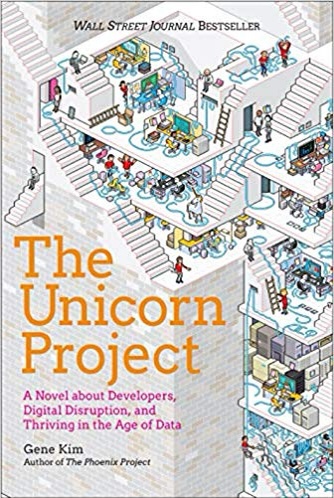
The Unicorn Project Book Review

When I first heard about The Unicorn Project I have to admit I was disappointed, I’ve long been a evangelist for Gene Kim’s book The Phoenix Project but I’d just spent months working on my own development DevOps book, Code Black.

I shouldn’t have worried, I really enjoyed The Unicorn Project and we’d gone down different angles. Where I’d focused more on the Continuous Deployment journey Kim’s book focuses much more on developer empowerment and continuous experimentation.

The Unicorn Project

The story follows Maxine, the developer who caused the now legendary payroll outage at Parts Unlimited towards the start of The Phoenix Project. Exiled to the documentation team as punishment she’s instructed to support the Phoenix rollout but quickly realised how woefully under supported the engineering teams are. As the business piles on more and more pressure, expects more features, and has less and less appreciation for the technical debt they’re wracking up they continue. Until, as we know the entire project explodes.

Working with some familiar characters such as Bill, Brent, Erik, and Maggie and a few new ones including Cranky Dave and Kurt our heroine works to make life better for the entire company. These are the engineers, the red-shirts, not the bridge crew. They’re the ones who actually do the work and they’ve got a lot of it to do!

What did I like best? Kim put lots of emphasis on testing and improving the entire system not just a small part of it, he focuses on collaboration and the importance of making it easy to onboard developers and share knowledge, and really drives the need to innovate and out experiment the competition. He also emphasis the importance of treating engineering tools as important systems and draws distinctions between the IT products we build, and the miscellaneous ones which just keep the lights on.

What wasn’t so good? Within a few chapters I was absolutely sick of Erik’s use of the word “sensei”… seriously can’t some of the people he quotes simply be experts, evangelists, or even gurus!?

On a more practical point the book spends a lot of time evangelising functional programming and scalability technologies. Which is great, they’re very powerful tools. But one of the things I liked so much about The Phoenix Project was how it was clear the team were struggling the same tech debt we all are. It made it more relatable and I worry in this book Kim’s “rip it out and use the latest and greatest” will overpower his more generic messages of continuous incremental improvement. Perhaps it’s personal preference but I like my DevOps books technology agnostic.

So, would I recommend this book? Absolutely without question! I believe that The Unicorn Project will take its place alongside its elder sister on the bookshelves of developers, testers, managers, product owners, and operational engineers for the next decade. If you haven’t already go and buy it, any while you’re at it not get a copy of Code Black too!? 🤣

Why (and How) I Started Speaking at Conferences

I did my first public speaking event at DDDNorth in February and then followed it up with a second presentation recently at the Leeds Testing Atelier. In this post I want to discuss why (and how) I went from audience member to speaker.

I’ve always been slightly in awe of people who have the confidence to speak in front of fifty, a hundred, or even more people! A friend of mine started doing technical talks a few years ago and after meeting a few more people who give talks I was rabidly running out of excuses.

I read somewhere that the fear of public speaking comes from our most basic tribe instinct. We’re afraid of making a fool of ourselves, of being ostracised from the tribe, and ultimately being seen as an unworthy partner. Even today, when we strive to create safe teams we’re still afraid of standing up and giving presentations to our colleagues.

So the question becomes what changed to make me want to push through this fear?

I’d been giving internal tech talks at work for several months. We used to do them over Skype, personally I found talking to a microphone much easier than talking to a group.

Something interesting happened when I started speaking about various topics at work. People came to talk to me about them!

I quickly realised that the natural progression of learning was to present. The work you do when you put a presentation together helps you focus your ideas, strip out what isn’t important, and ensure you have your topics clear in your mind. The best way to continue your learning is to allow other people to challenge you. In other words, the only way to become the expert is to act like an expert.

Now, I don’t claim to be an expert. But I like to think that the work I’ve put in pulling these presentations together has helped me learn the topics, but also clarify things in my own mind. There’s always the fear of a question you can’t answer, but there’s never any shame in not knowing something – that’s another opportunity to learn!

That brings us to the How. That part is actually surprisingly easy. There are loads of local tech community groups around, and you can quickly find a list of conferences in your area. Chances are they’re the same ones you’ve been going to for years!

Most of these conferences and groups are run by volunteers and most are crying out for speakers. Get in touch, get a date – nothing focuses the mind like a deadline!

Hopefully that’s encouraged you to go and give speaking ago – remember your audience want your talk to be a good one. Here are my top three(ish) tips to public speaking:

  • Submit the topic you want to talk about, not the one you think your audience wants
  • Don’t put bullet points in your slides, they steal your thunder and effectively makes you, the speaker superfluous
  • Don’t talk about pet projects (in the nicest way no one cares) or give sneak precious into something you’re selling (be generous with your knowledge)

And one for luck

  • Memorise your opening, the hardest bit is the moment just before you start speaking!

Is Velocity a Vanity Metric?

A few weeks ago I went to a talk at Agile Yorkshire by Tom Hoyland where he discussed the how he formed an agile team. In it he claimed that Velocity is a Vanity Metric.

If you haven’t read it then I highly recommend you pick up a copy of The Lean Startup by Eric Ries, this was my main introduction to the term. In the book Eric talks about how a Vanity Metric is any figure which is skewed to inflate the success of a product. One of the example he gives is Number of Registered Users, a figure which will clearly go up and up over time. A better metric, Ries argues, would be Number of Active Users. Obviously if you’re looking for a successful product you’re more interested in how many users are currently using it than how many people completed the signup process.

He claims that by basing metrics and KPIs on these Vanity Metrics is akin to giving yourself a pat on the back for building a successful product while sticking your head in the sand about why your business was losing money (or the startup running out of runway as he describes it in his book).

photo of woman looking at the mirror
Beware the Vanity metric! Photo by bruce mars on Pexels.com

So, to return to Tom’s question – is Velocity a vanity metric?

Most Scrum Masters calculate a teams’ velocity by taking an average over the previous sprints. The number of sprints varies but six (around 12 weeks of work) is the norm. Using this figure the the team can then calculate how far a particular story is away from delivery or epic from completion.

person typing on laptop
Photo by rawpixel.com on Pexels.com

There’s no doubt that Velocity is a useful forecasting tool (although, as one of my colleagues pointed out recently that if you plan a sprint on your average velocity then you will, by definition, fail 50% of the time). However, is it deluding us into thinking we’re a successful team and detracting us from more accurate measurement?

I think this comes down to how you measure success. Most people would agree that judging a development team on how many features they can deliver is fairly narrow minded. A development team includes a Product Owner, their remit should be to develop a product not to simply crunch features. If that was their goal then they could simply create huge numbers of easy, yet useless features just to score points.

In this new age of DevOps a Development Team should use their PO’s expertise and take ownership of the success of their product. For them to be judged on how much work they produce, rather than how much success they’ve had is a limited measure. It reminds me of the from the book The Goal where they measured and optimised the workstations rather than asking whether the system was effective.

Therefore, although shocked when I heard it I agree with Tom. Velocity is a useful tool for the team to forecast. But if it’s chased as a KPI or used to measure the team then it is indeed a vanity metric and will distract the team from trying to improve their product. If we want to measure our teams’ success then we should look at the metrics of our products, not try to calculate some kind of Hours to Story Point ratio or chase an ever increasing Velocity. We should focus on Number of Active Users or Number of Requests via the API, this will measure the teams’ success, rather than it’s productivity. As a friend of mine is fond of saying, effective rather than efficient.

Leeds Testing Atelier VIII

Last week I was lucky enough to go to the Leeds Testing Atelier which was hosted, once again at the Wharf Chambers in Leeds.

This was the 8th Atelier and the fourth (I think) that is been to. If you’ve not been along before then I highly recommend it as a conference, it’s a very unusual meet up – partially because of the informality of the event (did I mention it was hosted in a bar/music venue) but also because of the wide range of topics and speakers. Although centred in testing, the organisers understand that quality comes from a wide range of interpersonal, technical, and communication techniques and they encourage sessions on these topics at the event. I debuted my Communication talk at the event, but more on that later.

The first talk of the day I went to was The Sleepy Tester by Hannah Prestwell. Hannah’s talk was inspired by a book called Why We Sleep by Matthew Walker, it’s a book I’ve heard from before and I really need to add to my reading list.

Hannah talked to us about the importance of getting enough sleep, the value of sleep in forming memories and learning, and it’s value in emotionally reflecting on recent events. It turns out the phrase “sleep of it” really is based in science.

The next talk I went to was Imposter Syndrome by Beth North. Beth had the outstanding idea of creating imposter personas to identify the different ways Imposter Syndrome can impact people. It was a great talk and really engaged a lot of people in the audience (myself included). I had the sudden urge to run out half way through and update my slides to include her great ideas.

I spoke downstairs next. My talk was entitled Performance Testing Your Communication and I spoke about various ways of monitoring and maintaining safety in a conversations as well as how to influence people around you by understanding their personality and values. I was quite pleased with how it went, especially as this was the first time I’d done this talk outside work and I was delighted to see the tweets roll in afterwards.

https://twitter.com/drew060609/status/1143459386008002560?s=21

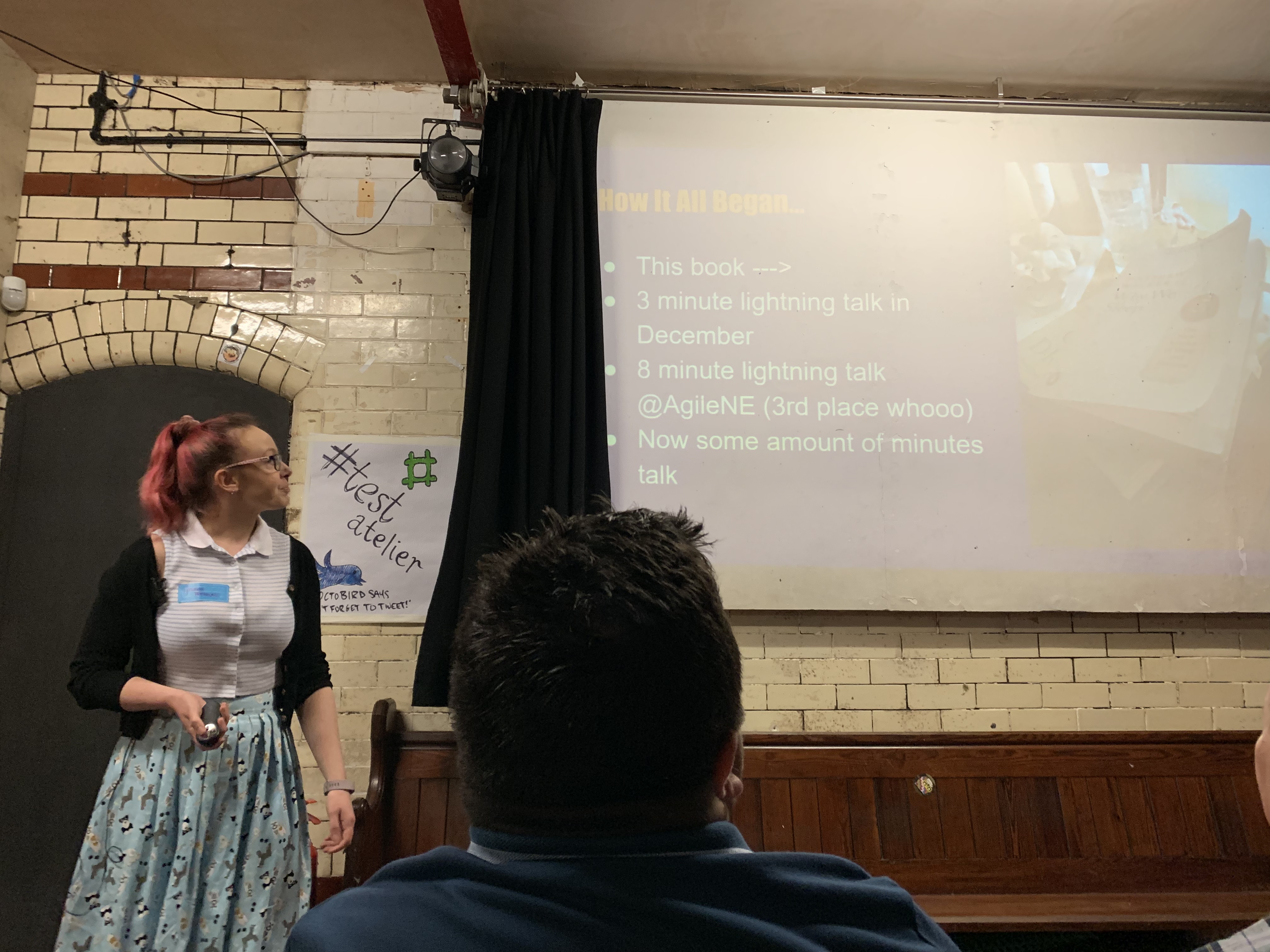
The final talk I saw (I had to head back to the office for the afternoon) was a lightening talk by Sophie Weston about lightening talks. In house presentations is a topic very close to my heart. Not only do I think they’re a great way to share knowledge but doing internal presentations was how I got started before I moved onto external conferences – I can’t think of a better way to boost your confidence. I’m definitely going to take a few of her tips back to the office to see if we can use them to improve ours!

The team stayed later, really enjoying their afternoon sessions and talks. I went back to an afternoon in the office but really enjoyed my morning – the organisers were a great high and really made me feel welcome and looked after (especially when I had projector woes).

A huge thanks to the Atelier Gang – I hope to see you all next time!